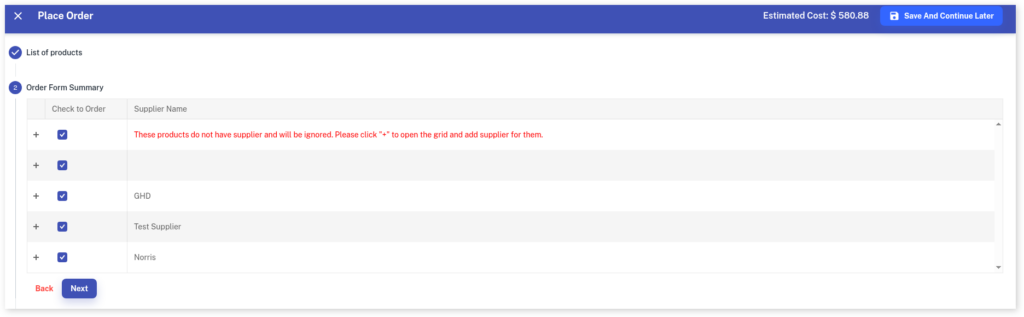
If you see an error in red warning there is no supplier, it is because Client Diary noticed the Product/s you are ordering don’t have any supplier details attached to them. Your products must have a supplier to place an order.
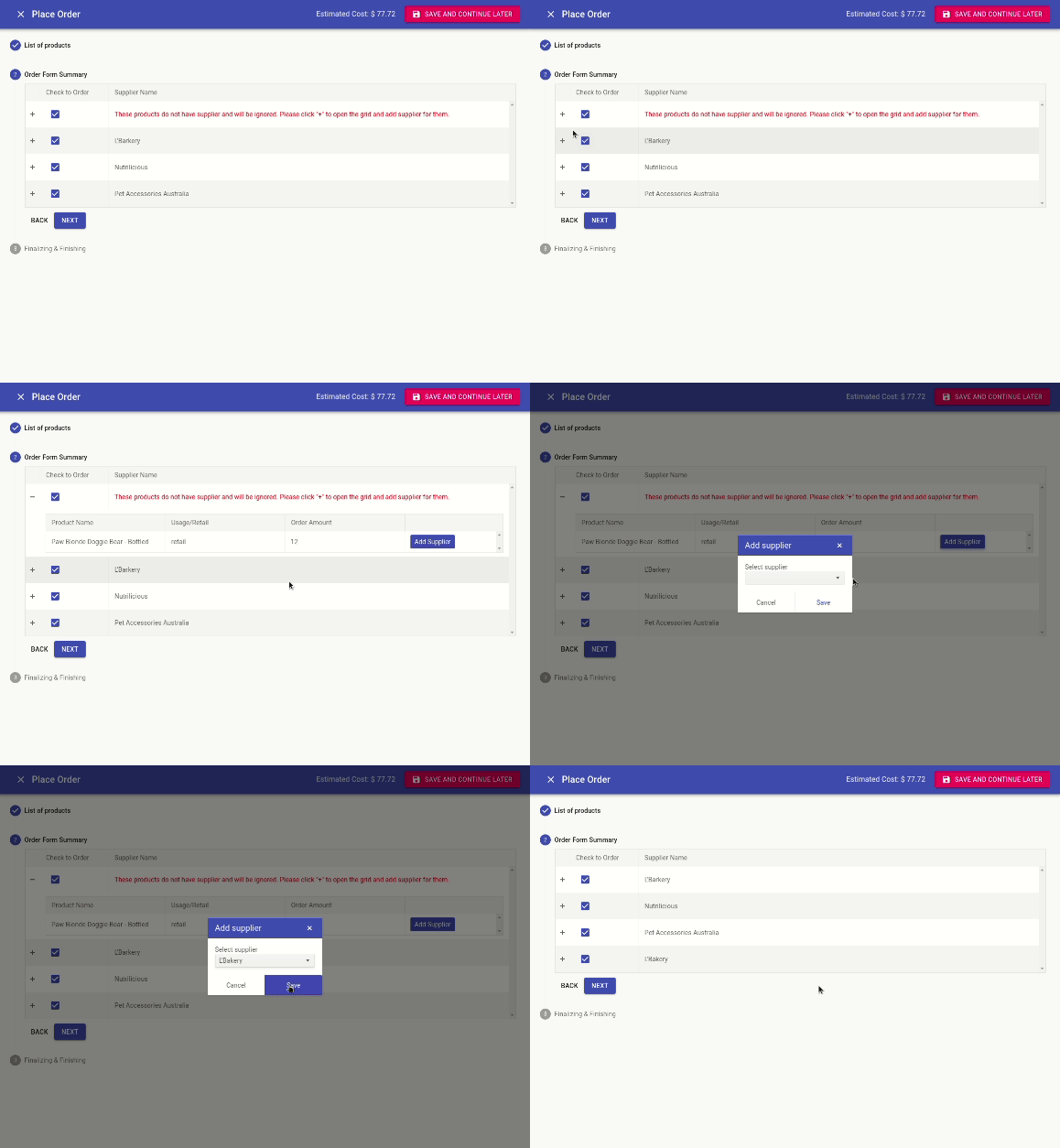
Pressnext to These products do not have supplier and will be ignored to open the grid and add a supplier for them
Click on the Add Supplier button
Select a Supplier for these products
Press Save buttonto applied changes
Do this for each product that needs a supplier. (If there are many products you can use the Bulk Edit Tool to do this quickly)
Select the Next button
When you are happy and ready to finalise the order, select the Finish button.