
Client Diary makes it super easy to link to your online booking via a quick link. This link needs to be added to a button or text link on your website. If you have a web designer, follow the steps below. If you make your own website, you can still follow the steps, but implement them yourself.
To obtain the link:
- Head to My Account
- Select the Add-Ons tab
- Click on Online Bookings Setup Beta
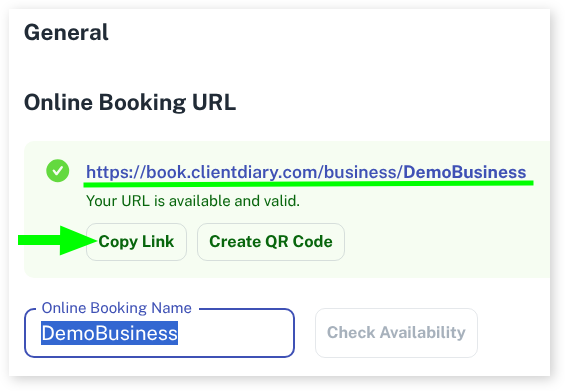
- Under General you will see the Copy Link button
If you use a web designer, email them the link:
- Open up your email software
- Write an email to your web designer
- Paste the link into the email and ask them to link to that
If you design your own website, follow the instructions at your hosting company (example, Wix or similar) to create a button. For the URL / Link for that button, paste the link from the first step above and you will have a Book Now button.