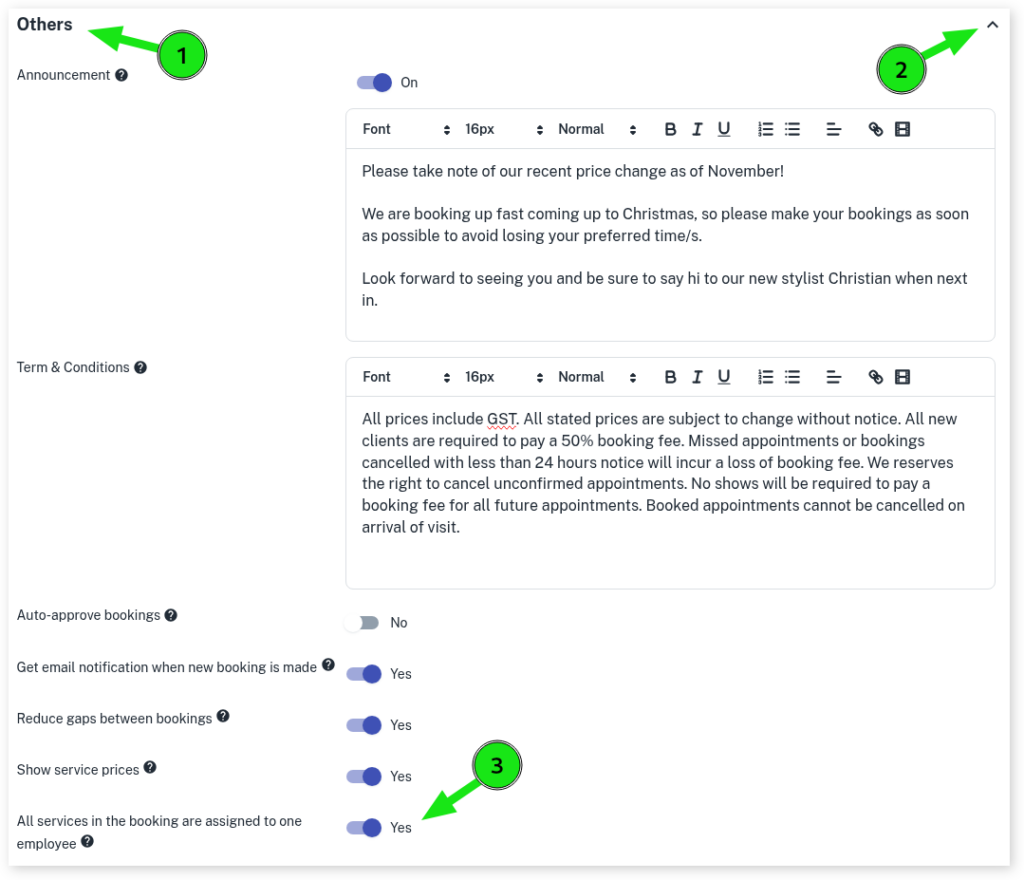
When setting up your online booking, you may prefer that when multiple Services are booked, those Services are all assigned to one employee instead of each Service being assigned to different employees.
Turning on this option in your Online Bookings Setup, enables this to happen when online bookings for multiple Services are made by your clients.
- Head to My Account
- Select the Add-Ons tab
- Click on Online Bookings Setup Beta
- Scroll down to the Others section and click on the drop-down option
- Slide the toogle to Yes
- Scroll down and click on Save