
Go to:
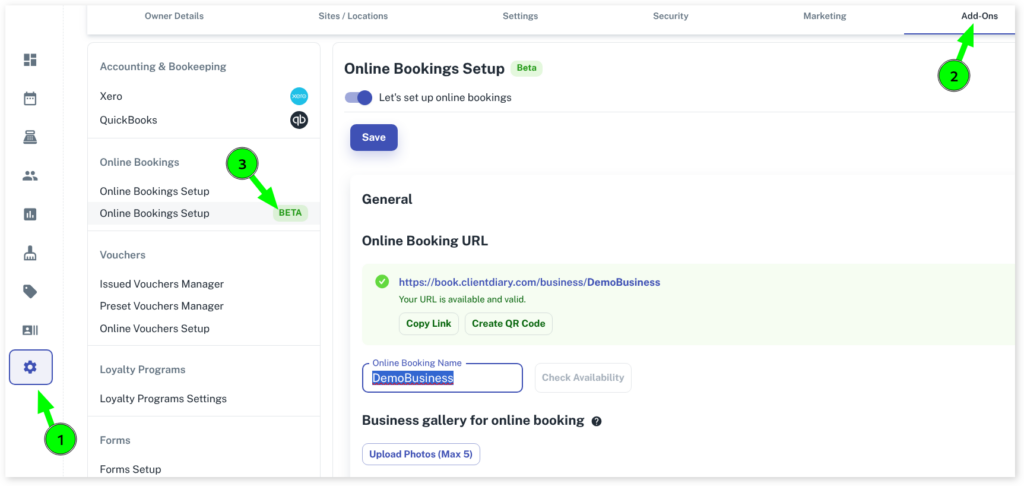
- Select the My Account menu
- Click on the Add-Ons tab
- Press on the Online Bookings Setup – Beta option
- Scroll down to the Others section and click on the drop-down arrow
- Under the Terms and Conditions, type or paste in your custom conditions in the blank bar
- Click on the Save button to apply changes
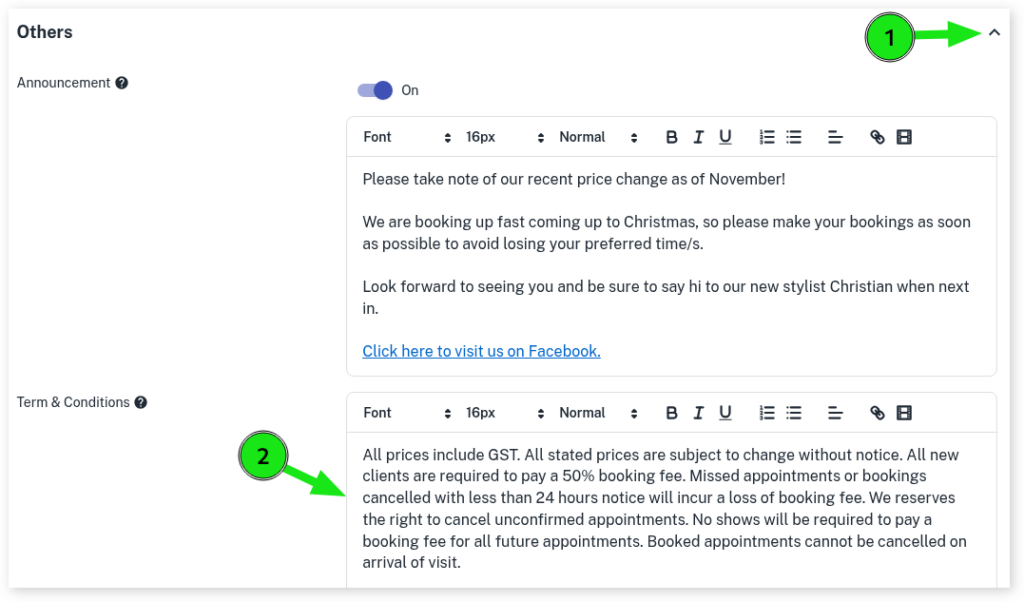
The Terms & Conditions can be viewed by your clients at the Booking Summary when booking an appointment online.