
The auto log out timer works by setting how long an employee stays logged in to Client Diary before it automatically logs them out of the system.
To setup the auto log out timer for your employees:
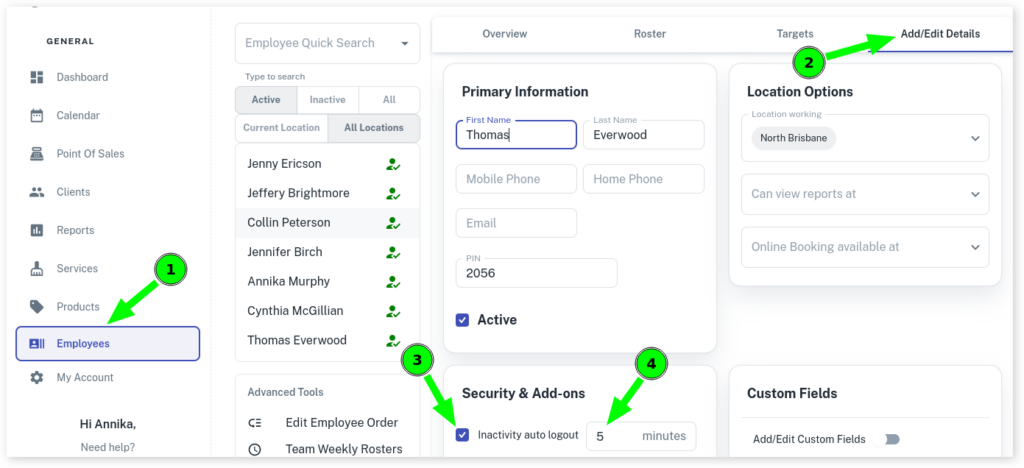
- Select the Employees menu
- Click which Employee you are editing
- Press Add/Edit Details
- Toggle Inactivity Auto Log Out to active
- Set how long in minutes when you want it to log out
- Click on the Save button to apply changes
Note: When using the Mobile App, logging with owner’s PIN will not auto logout if switching apps or app goes to background.