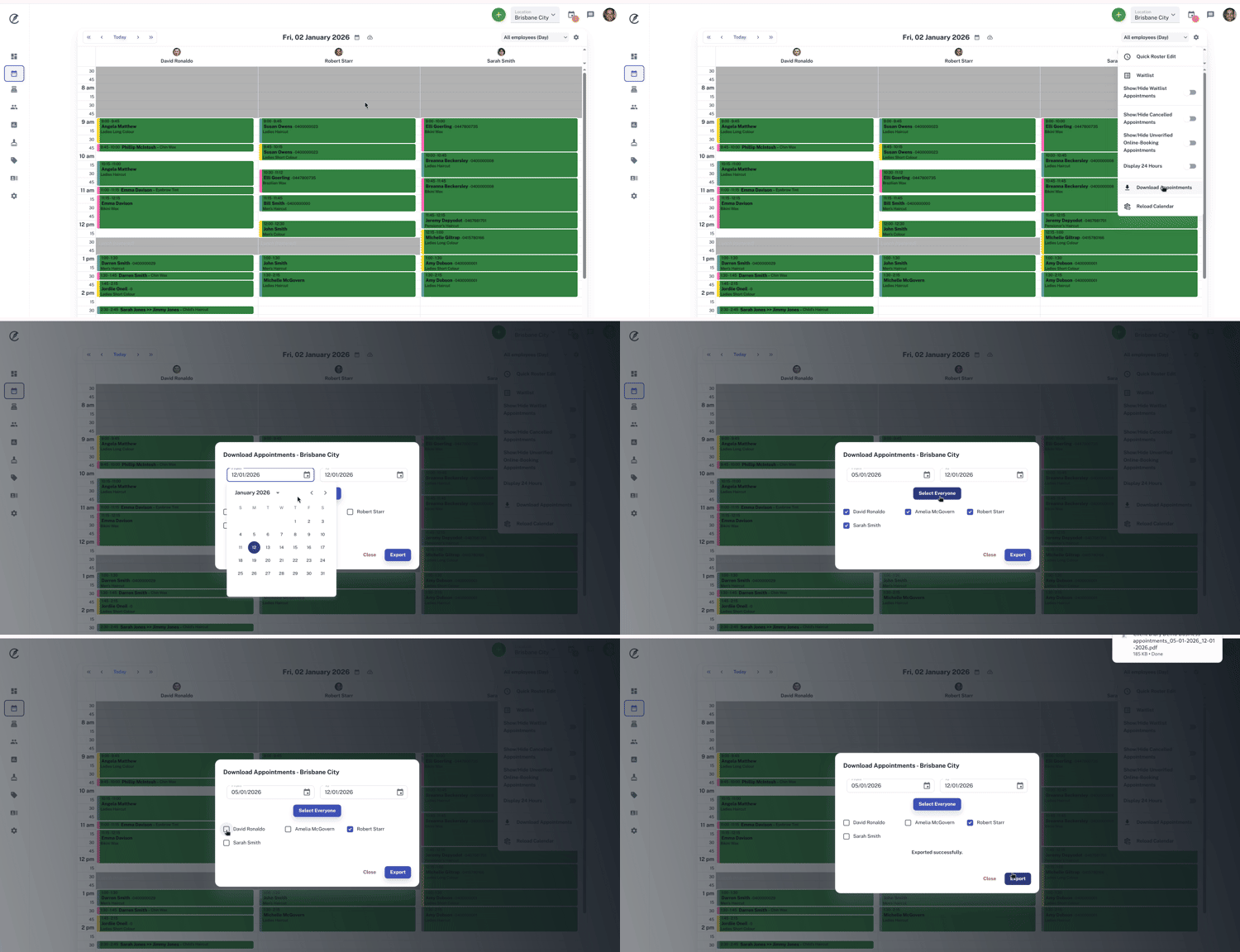
Client Diary allows you to easily print your employee’s upcoming appointments for quick access away from the computer.
To do this:
- Select the Calendar menu
- In the top right hand corner, select the cog icon
- Click on the Download Appointments button
- Choose your Date Range. Client Diary defaults to today’s date
- Select the Employee you want to print for by clicking in the box next to employee’s name
- Alternatively press the Select Everyone button to print the day sheet for all employees
- Click on Export
- The appointment will download into PDF where you can now print from