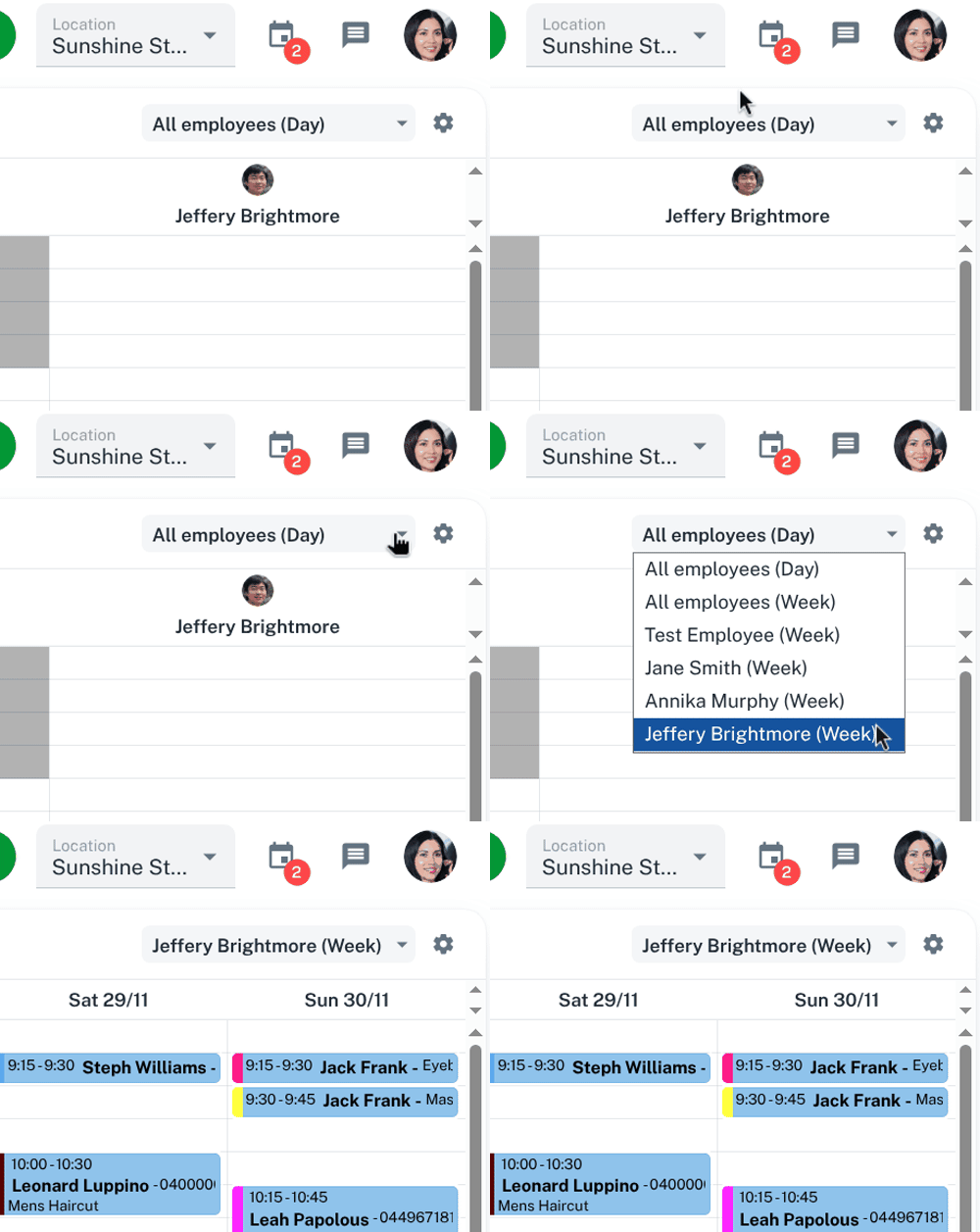
In the Calendar, Client Diary has different options that can be applied to show how the Calendar view’s in your Client Diary. This is handy when you have a client that prefers a specific team member and you can view all weekly appointments at once.
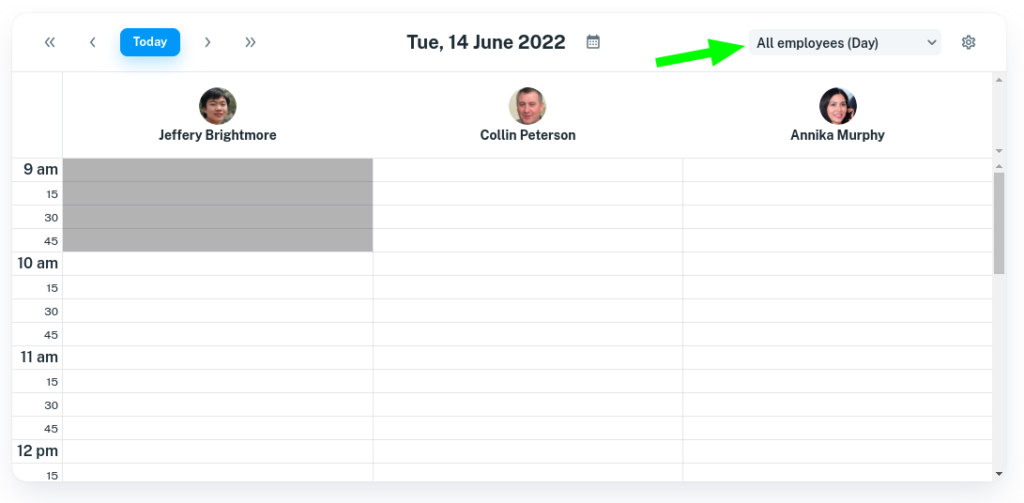
All Employees (Day) View
The All employees (Day) view shows the Calendar for all employees for each individual day as shown in the pic below.
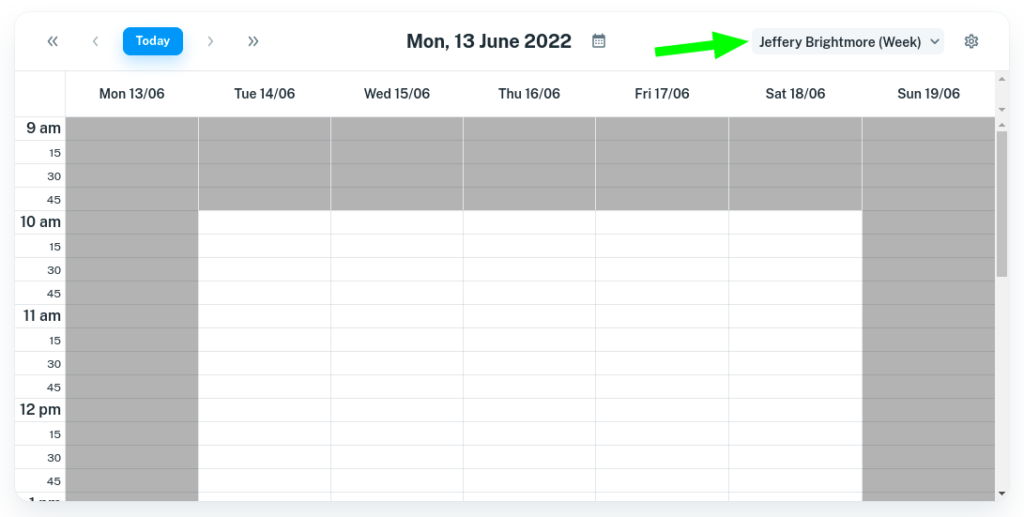
Specific Employee (Week) View
The employee’s Week view shows the entire week for the selected employee in the Calendar as shown in the pic below.
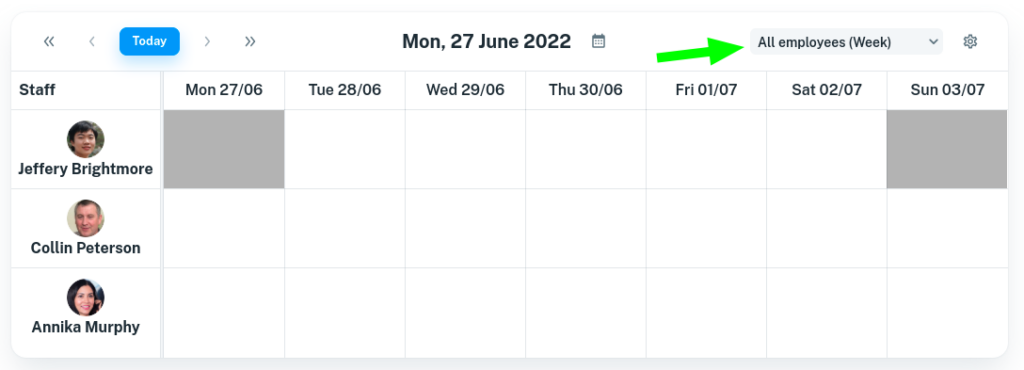
All Employees (Week) View
The All employees (Week), is a way to view a whole week for all employees at one glance.
How To Switch The Views In Your Calendar
To do this:
- Select the Calendar menu
- Click on the drop down option next to the cog icon
- Choose which view you want the Calendar to view as