
As your team grows, so will the amount of columns you will need to display on the Calendar. These changes can be made easily by adding and removing staff members.
When trying to add staff to a location a lock may appear.
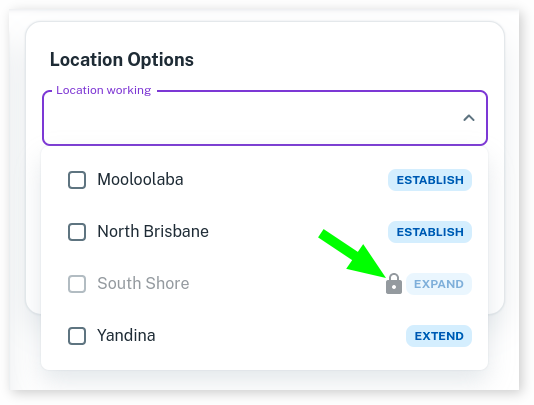
This shows that the location has hit its maximum capacity for this location’s current Billing Plan.
When hovering over this lock it will show you more information.
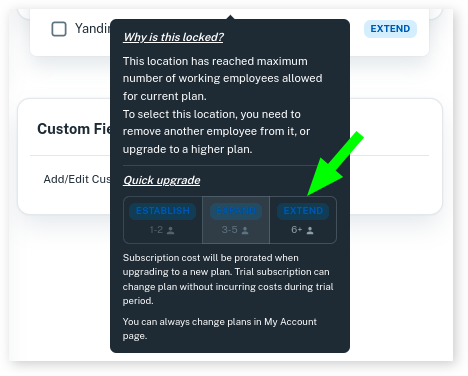
To quickly upgrade to the next tier, select the next option available to you.
For example, starting in the Establish tier, select the Expand tier to increase to 3 to 5 employees.
Or, if you are currently in Expand and want to increase your team to 6 or more bookable staff, simply select the Extend tier.
This will adjust your location as soon as you press the option.