
Whilst you can leave the Services as they are, if you want to adjust how the Service is shown to the customer VS how you see it in store, you can do the following.
- Select the Services menu
- Search the Service you wish to update
- To change the way the Service is named for the customer, simply add a name in the Online Booking Name input
- To add a description to the Service that is shown at the online booking screen, simply add a description in the Online Booking Description input
- Press the Save button
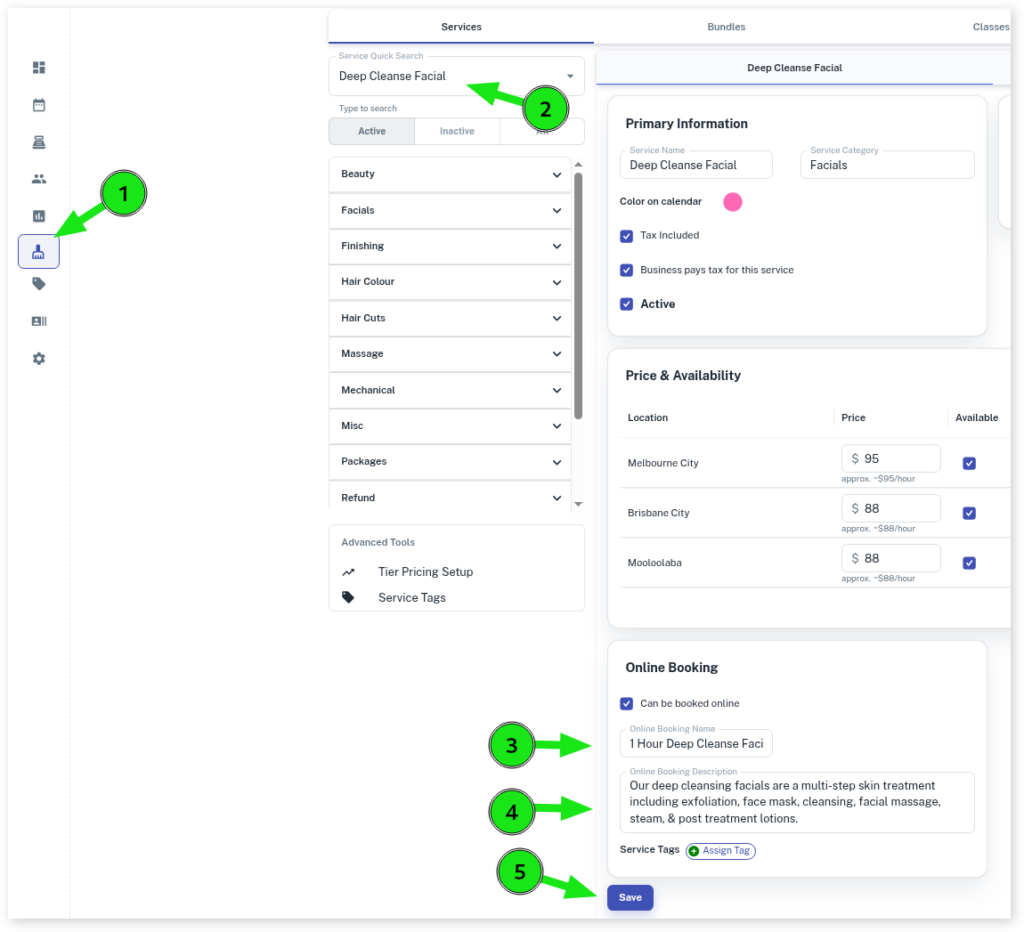
The client will now see “1 Hour Deep Cleanse Facial” rather than “Deep Cleanse Facial” when making a booking.

For more information regarding online booking, please click on the following and then click again to view Online Booking Overview