
Once a client has money in their account / money in credit, Client Diary lets you easily use the credits to pay for their Services.
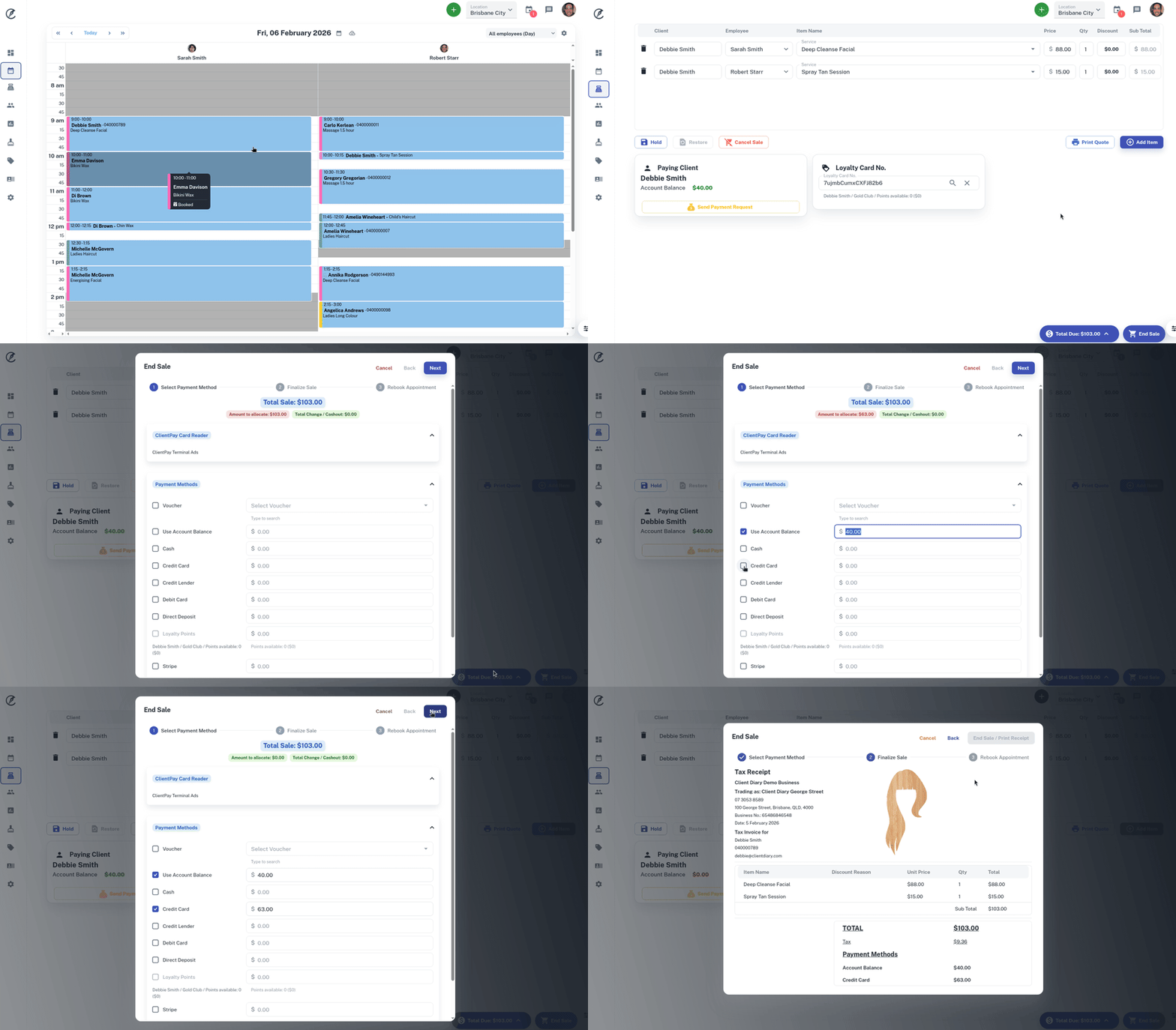
- Take the Client’s Appointment to POS like normal
- Press the End Sale button
- Select the Use Account Balance option. The amount the client has in credit will appear
- End the sale like normal
In the below example, the client has $40 in her account credits to use and the bill comes to $103.
She uses the complete $40 credit and also $63 on her Credit Card.
Important NOTES:
- If they don’t have enough in credit, simply select their secondary payment method to make up the difference
- If they have more than they need in credit, Client Diary will only use what’s required to finalise the sale and the remainder will stay in credit for future use
- If they want to use a different amount / not use all their credit, simply change how much they’re using
- You are also able to use more credit than is shown in the client’s Account Balance. This will essentially put your client’s Account Balance in the red / negative.