
Your business may require a specific amount of time to prepare for a client’s particular needs. Client Diary has a powerful option in the Beta online booking system that allows you to restrict how far into the future and how close to today a client can make a booking.
To do this:
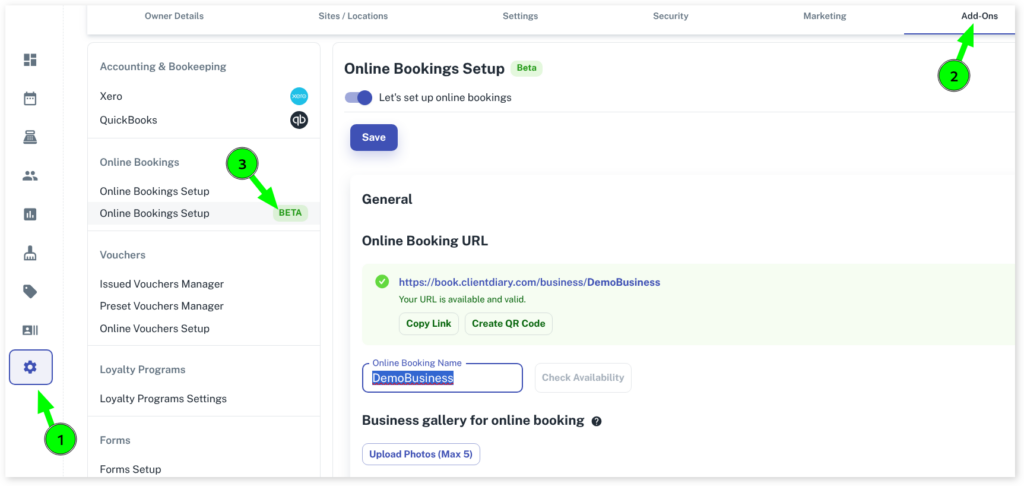
- Select the My Account menu
- Press the Add-Ons tab
- Click on Online Bookings Setup Beta
- Under Timings you will see Number of days bookings must be made prior to the appointment
- In the day field, specify the minimum number of days in advance that clients can make a booking.
- Next, you’ll find Number of hours bookings must be made prior to the appointment
- In the hour field, specify the minimum number of hours in advance that clients can book an appointment.
- Press Save to apply changes
