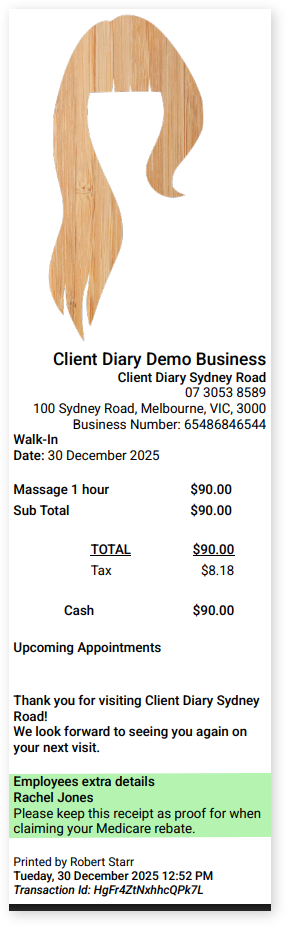
Sometimes you may want to add information about an employee who provided a Service. Your individual contractors may need to include their own healthcare numbers or you may want to advise of special Services your employee can provide like Reiki Massage or advanced cuts/treatments.
Client Diary now has the option to add this additional custom information on to your client’s receipts.
To do this:
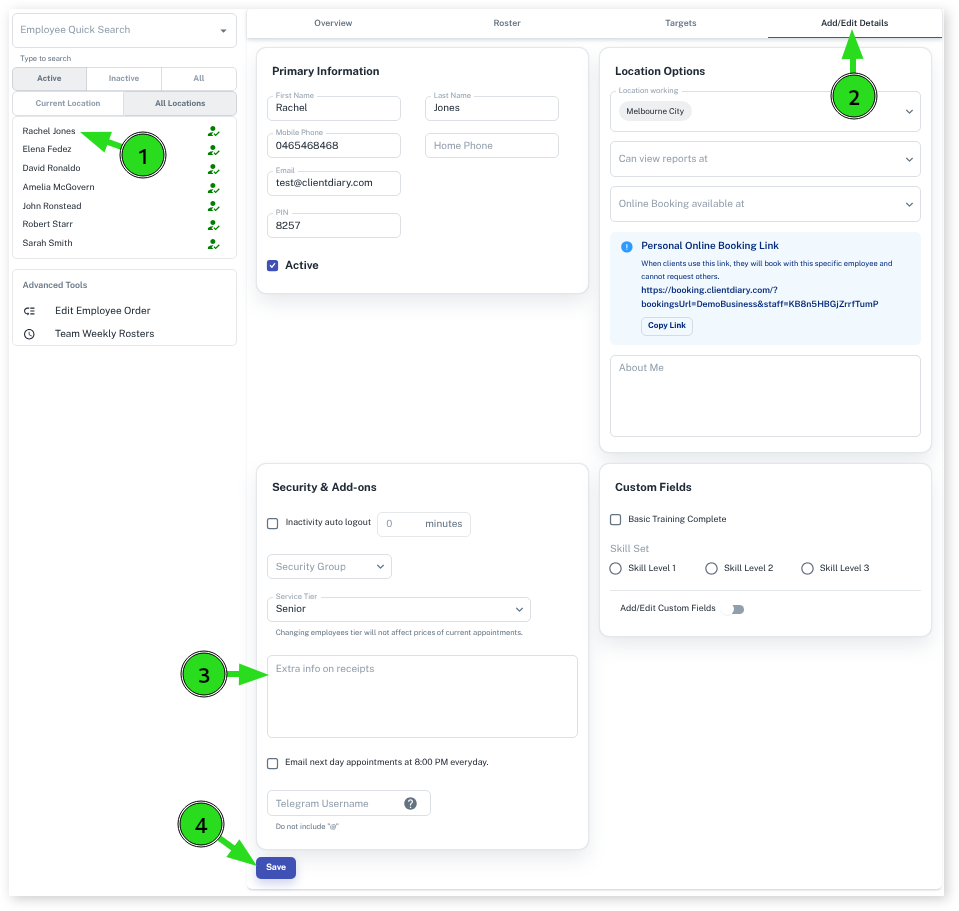
- Go to the Employee menu
- Select which Employee you want to do this to
- Scroll down to Extra info on receipts
- Type in the info you want to be added to the receipts
- Select Save to apply changes
Example Of The Custom Info On The Receipt: