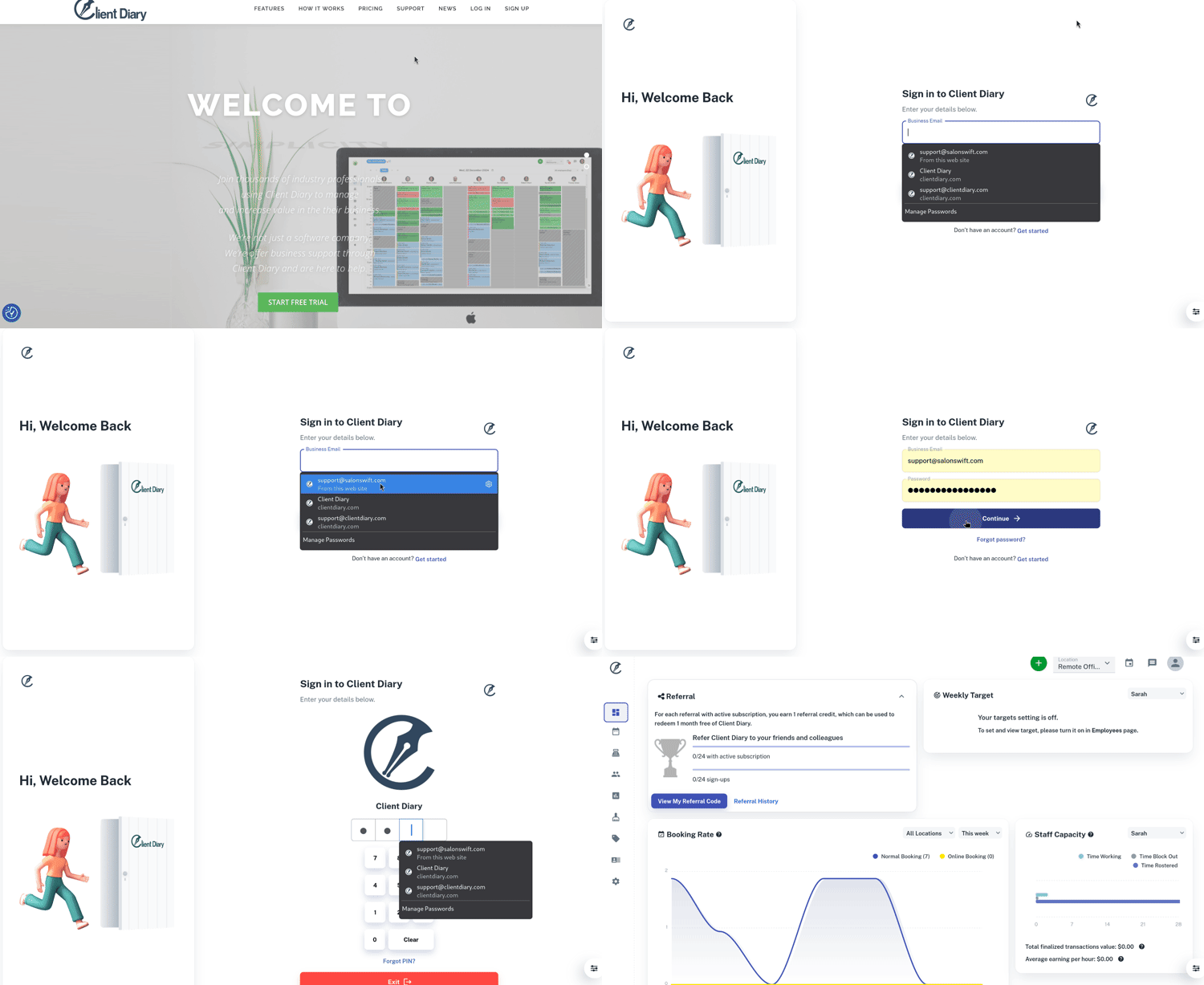
Client Diary does have a very simple login system.
To log in to Client Diary:
- Type www.clientdiary.com into your web browser I.E (Microsoft Edge, Microsoft Explorer, Google Chrome, Firefox and Safari)
- We recommend that you use Google Chrome for best performance with Client Diary
- Select the Login button
- This will bring up a new screen for Client Diary
- Under Business Email, enter the email address you signed up with Client Diary
- Under Password, type in the password you signed up with Client Diary and press the Continue button below. This password is classed as the Admin Password
- On the PIN screen, just type in the PIN provided in the welcoming email that Client Diary sent you after you signed up
- You now have access into Client Diary.