Sometimes you have to send an SMS to a client manually yourself. Client Diary allows you to easily and quickly do this.
Via the Client Menu
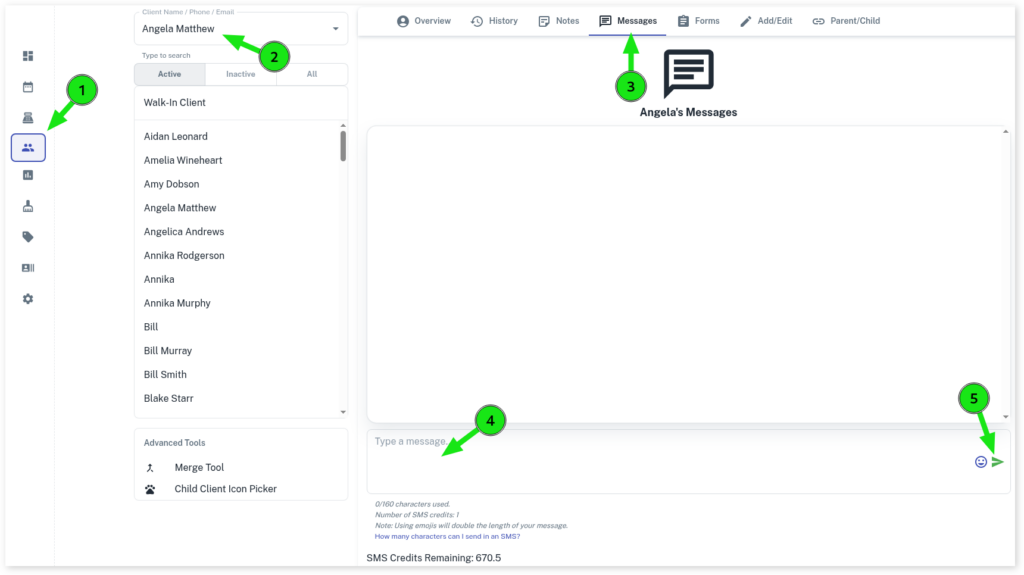
- Go to Clients menu
- Search for the Client
- Pick the Messages tab
- Enter your message where it says Type a message…
- Click the Send arrow when ready
Via the Calendar
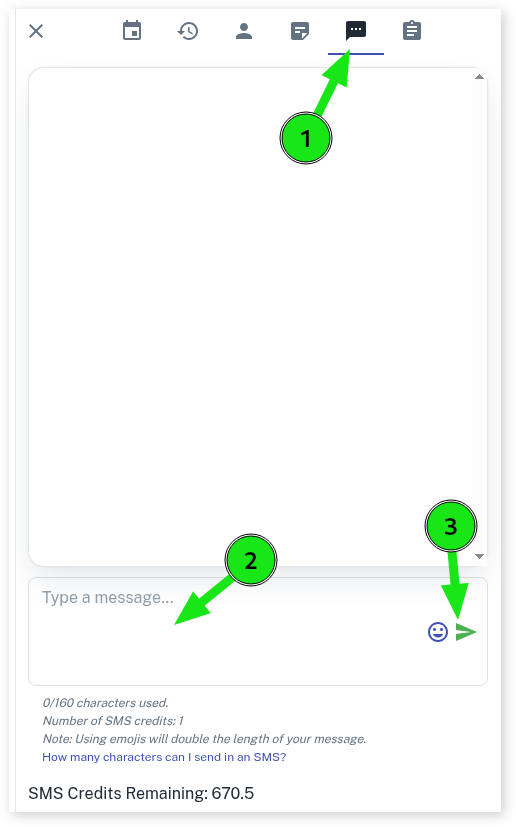
- Select the Calendar menu
- Create or select a pre-existing appointment for the client you want to send the SMS to
- Press on the appointment to bring up the appointment overview pop up
- Click on the Messages tab
- Enter your message where it says Type a message…..
- Click the Send arrow when ready.