
Client Diary allows for easy set up of your businesses opening hours.
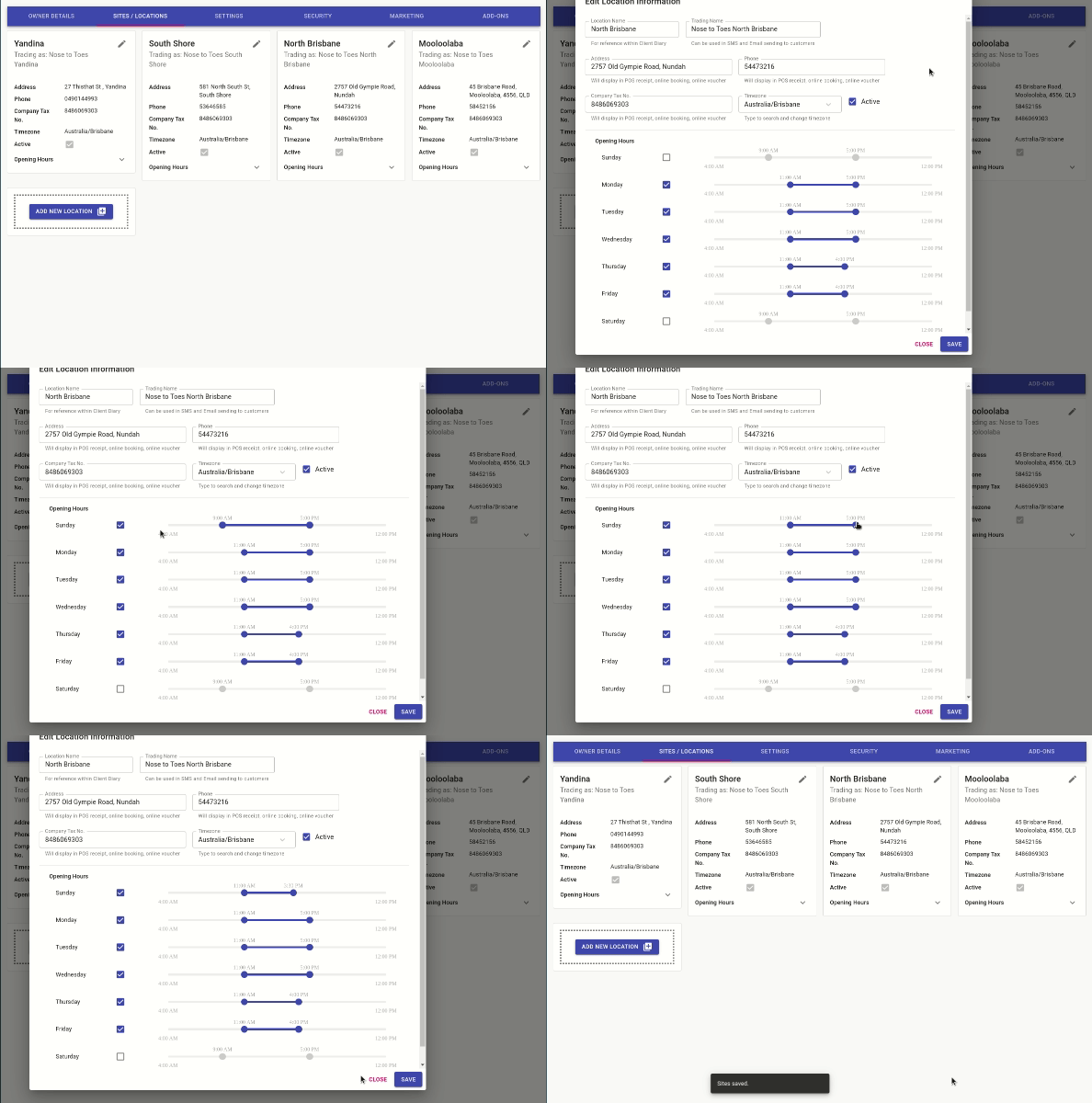
- Select the My Account menu
- Press the Sites/Locations tab
- Click on the pencil icon to Edit the Site/Location
- Untick days you are closed, tick days that you are open
- Adjust the sliders to set your opening hours
- Press the Save button
How the Opening Hours Affect Your Calendar
The hours you have listed as your Site’s opening hours determines your Calendar view and the opening hours shown in your online booking site.