As you run your business you may want to remove old clients that no longer are a patron of your business. By deactivating them you not only help clean up your client lists, it also helps remove them from any future marketing. As well, you may have deactivated a client and would like to re-enable them once they come back to your business or to make their notes available.
How To Deactivate Clients
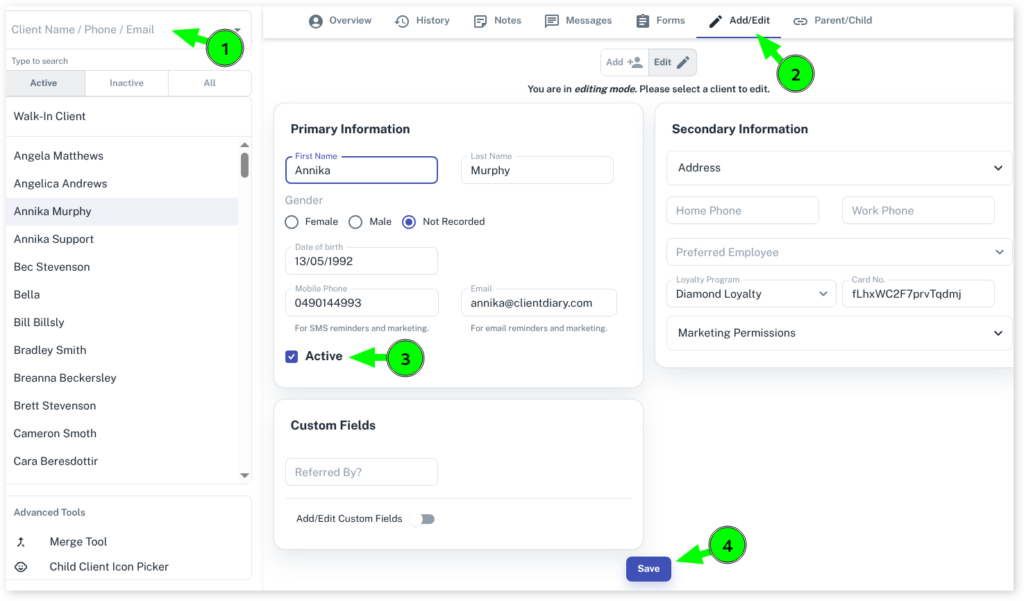
- Select the Clients menu
- Search the Client in the Search bar
- Click on the Add/Edit tab
- Go to Active box and untick it
- Press on Save
How to View ALL Client Lists
- Select the Clients menu
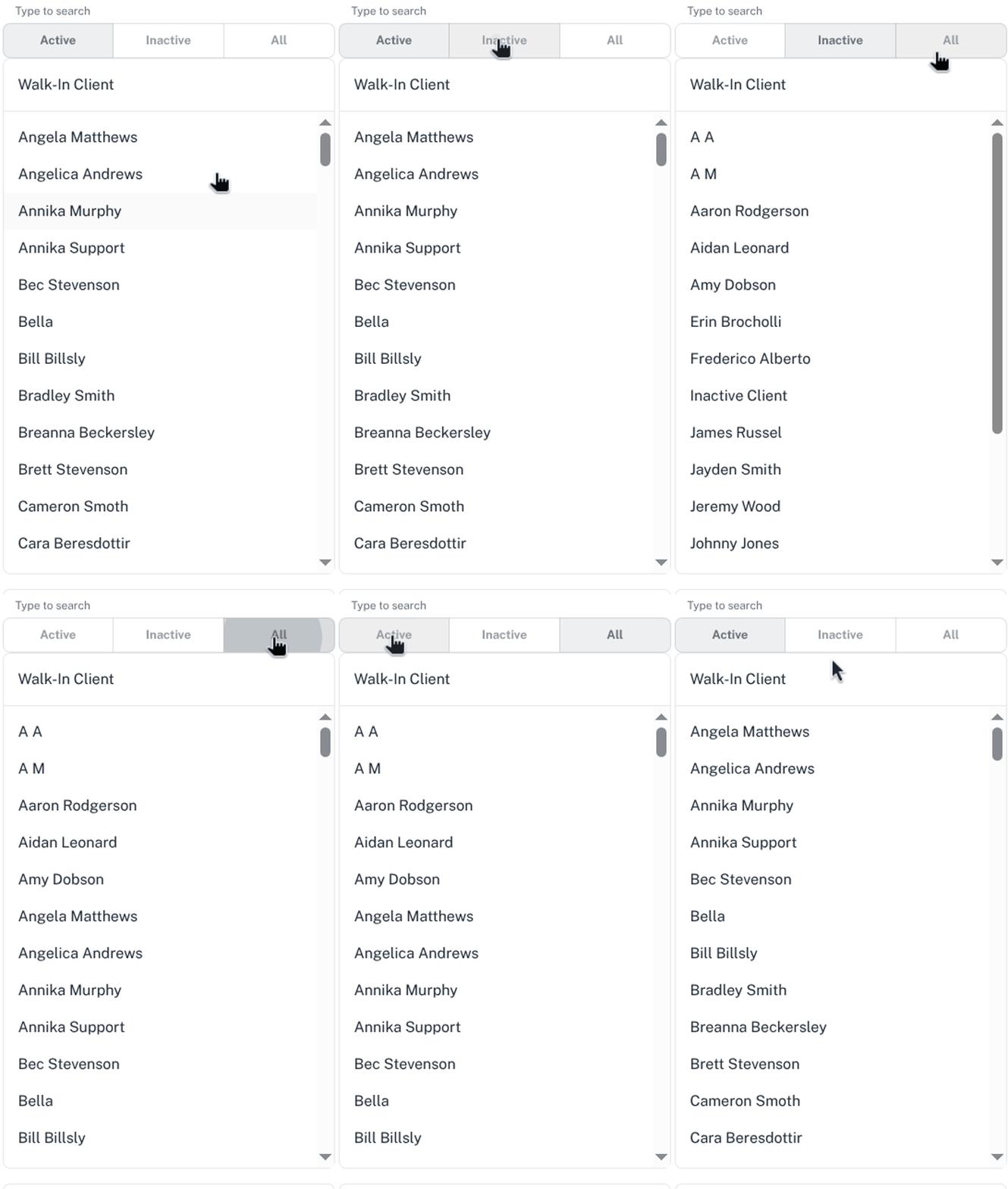
- Click on Inactive below the search bar to show the inactive clients
- Click on All Clients below the search bar to show all active clients
- Click on Active below the search bar to show all Active/Inactive clients in the list