Your client will click on a Book Now button on your website, Facebook page or similar. Once they do, they will be presented with an online booking interface. Below is a video of a booking being made on an iPhone to show how it works from their perspective.
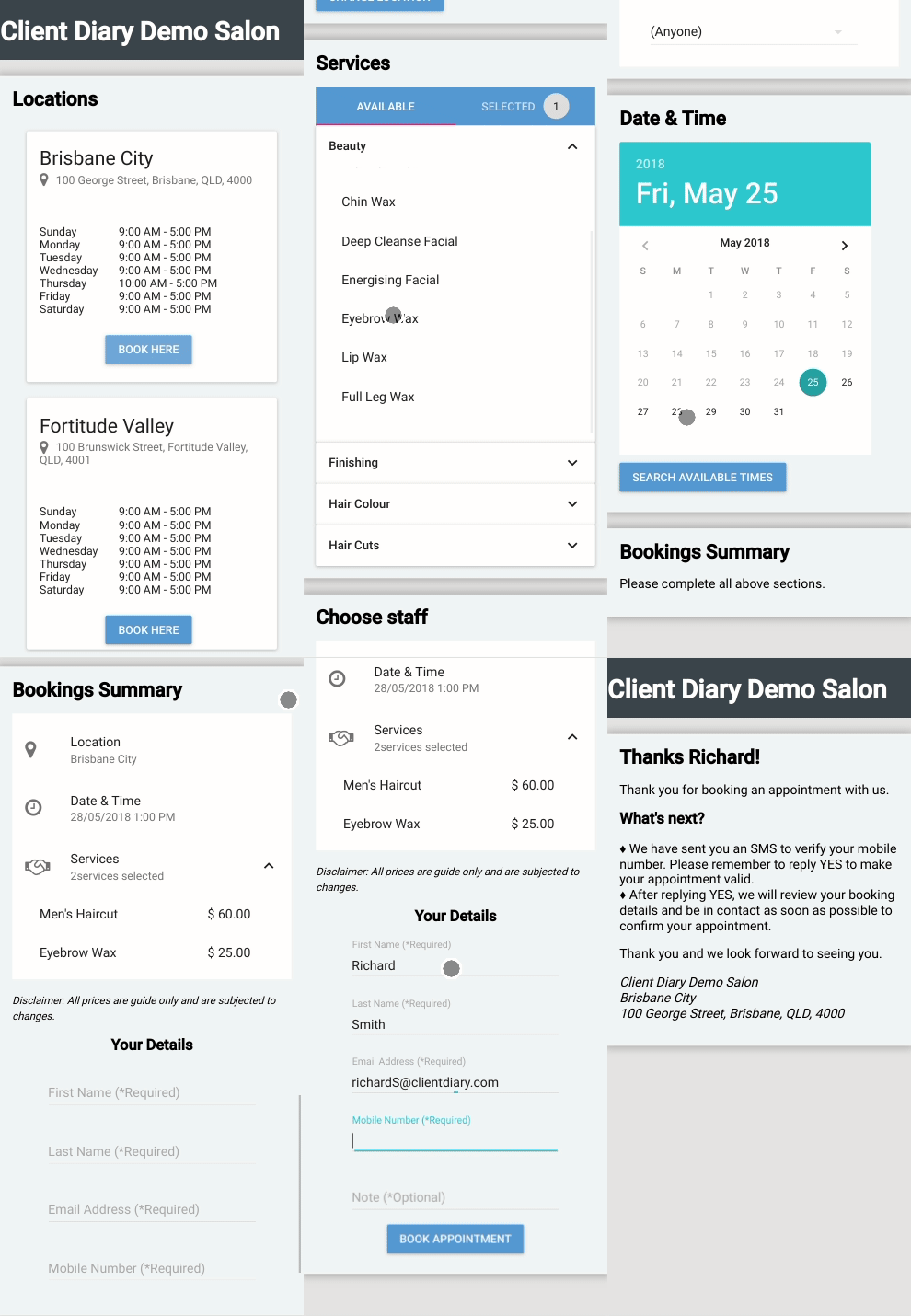
After they have made their booking, they will receive an SMS that will require they reply YES to confirm their number is accurate and that they are a real person if they are a new client to your business.
After they reply yes, you will be alerted via email and via Client Diary that you have received a booking. For information on this, please follow this link on how to approve or deny an online booking. For more information on online bookings in general be sure to read our Online Booking Overview.
If the Client Selects a Specific Employee
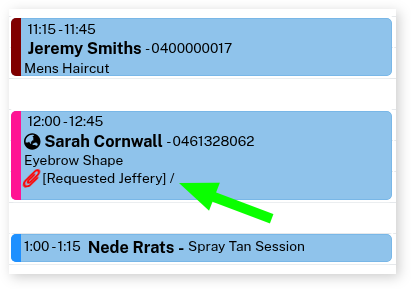
If the client selects a specific employee with their online booking, it will automatically add appointment notes to the booking on the Calendar that they have specifically requested for that employee on their appointment, as shown in the screenshot below.