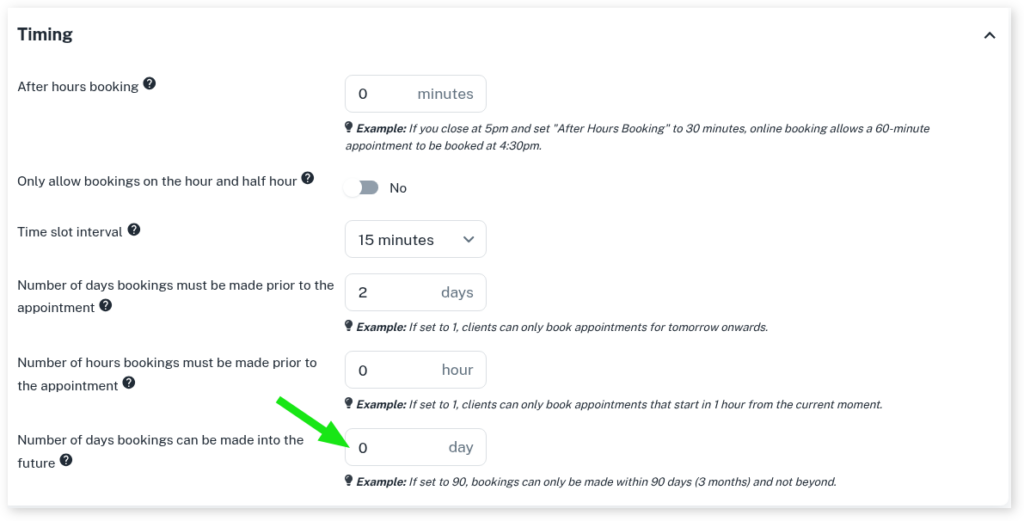
Your business may prefer if clients have a limited amount of time which they can book in the future. This will help reduce no show clients and clients that need to re-book because they forgot about the appointment. Client Diary has a powerful online booking system that can limit how far into the future an online booking can be booked.
To set this up:
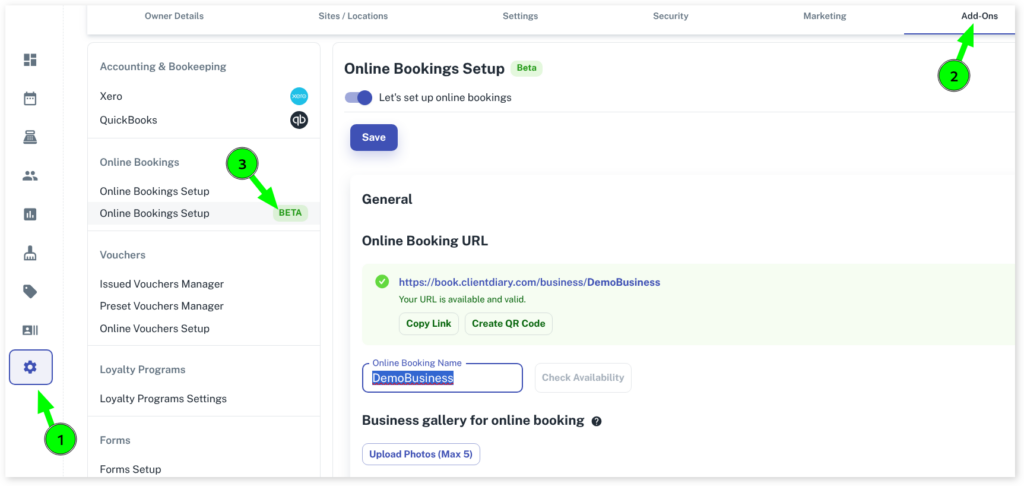
- Select the My Account menu
- Press the Add-Ons tab
- Click on Online Booking Setup Beta
- Scroll down to the Timings section and click on the drop down
- Go to Number of days bookings can be made into the future
- In the days option, put in how many days limit you want to apply
- Select Save to apply changes