
Notes are a handy way to keep relevant history and information about a client, sometimes you may be away from Client Diary and will be necessary to print notes you have made; either technical or general.
To do this:
- Select the Calendar menu
- Click on the Appointment
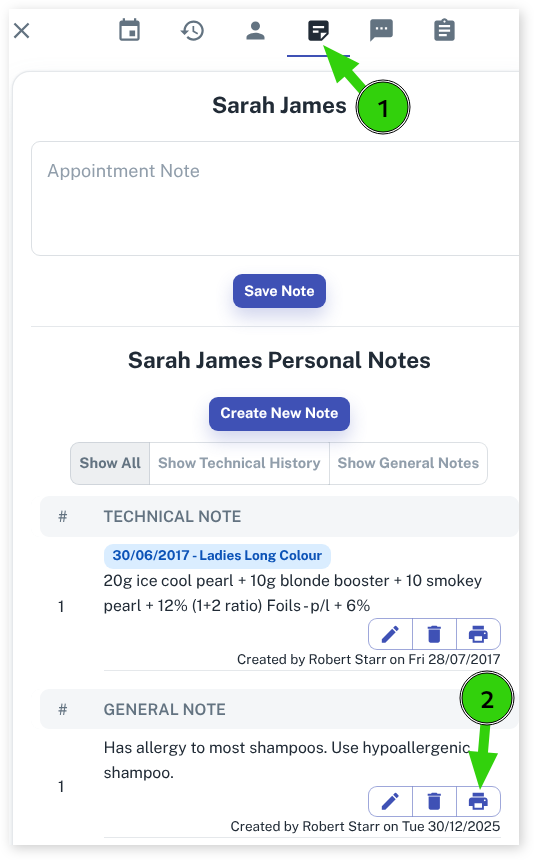
- A pop-out menu will appear, choose the Notes tab
- Press the Printer icon shown in the note you wish to print.
- This will then open a print page with the note on display; ready for you to print as per normal on your docket or normal printer.