
Service Resources allow to keep track of limited resources in your business and limit crossover of them being needed.
To get set up with Service Resources:
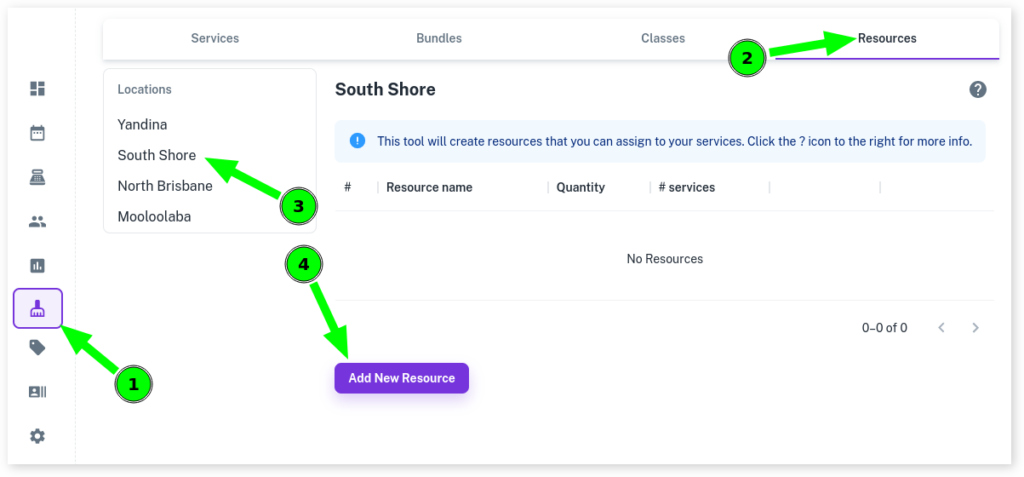
- Select the Services menu
- Click on the Resources tab
- Choose your Site/Location
- Press Add New Resource
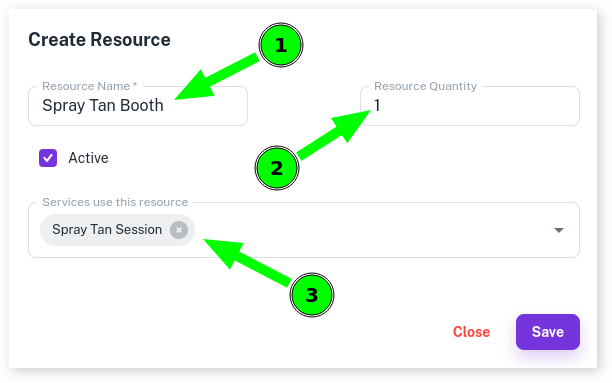
- Give your Service Resource a Name
- Into Resource Quantity, enter in how many of a resource you have
- From the drop down menu select All Services that use this service
- Press Save
For more info on Bundles, be sure to read the Service Resources Overview.