
You may only want certain employees to be able to receive bookings online. To restrict / enable employees, follow these steps:
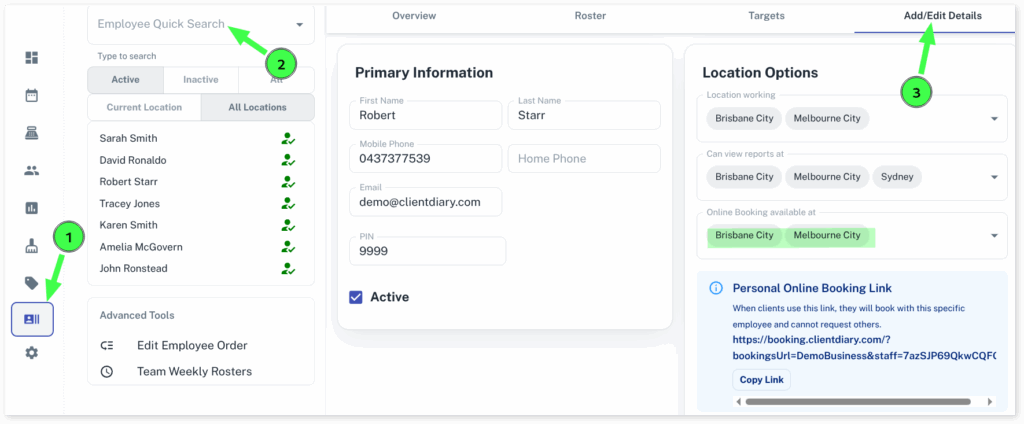
- Select the Employees menu
- Search the Employee you wish to adjust the settings for
- Press the Add / Edit Details tab
- Press the check-box across from Online Booking Available at the site/s you wish them to be available
- Optional: Untick them if you don’t want them to be available
- Scroll down and press Save
- Repeat steps for other Employees
For more information regarding online booking, please click on the following and then click again to view Online Booking Overview