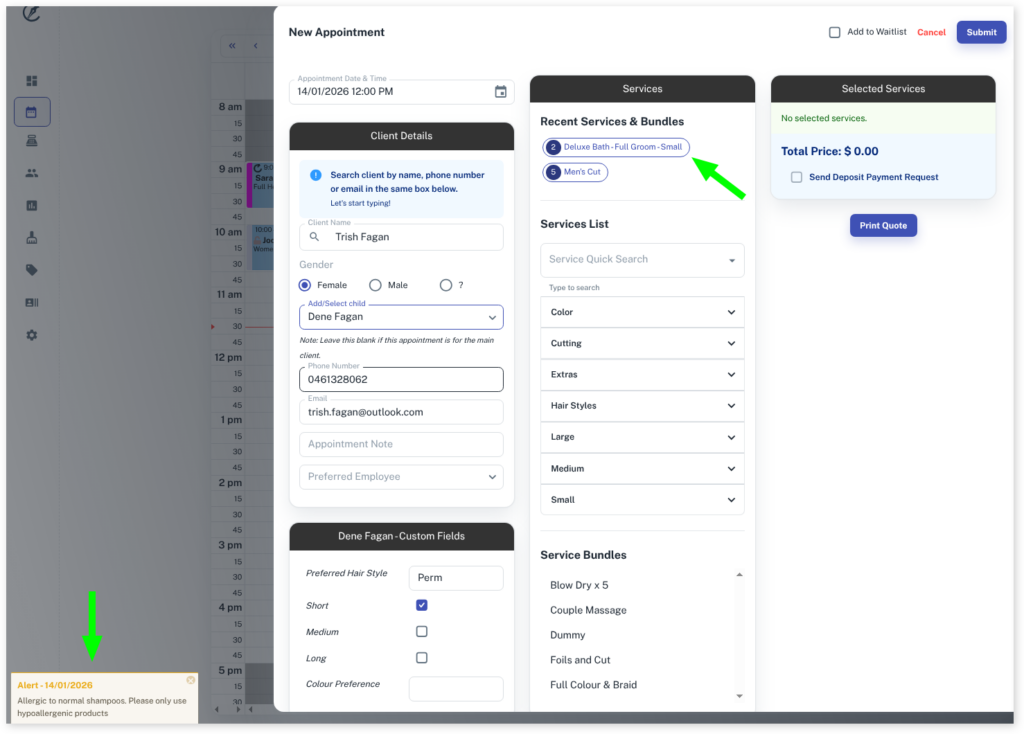
Booking using a ‘child’ account is a handy way to keep clients organised and to bill the client accordingly. If you haven’t yet, be sure to read the Parent/Child overview to set up child accounts fully.
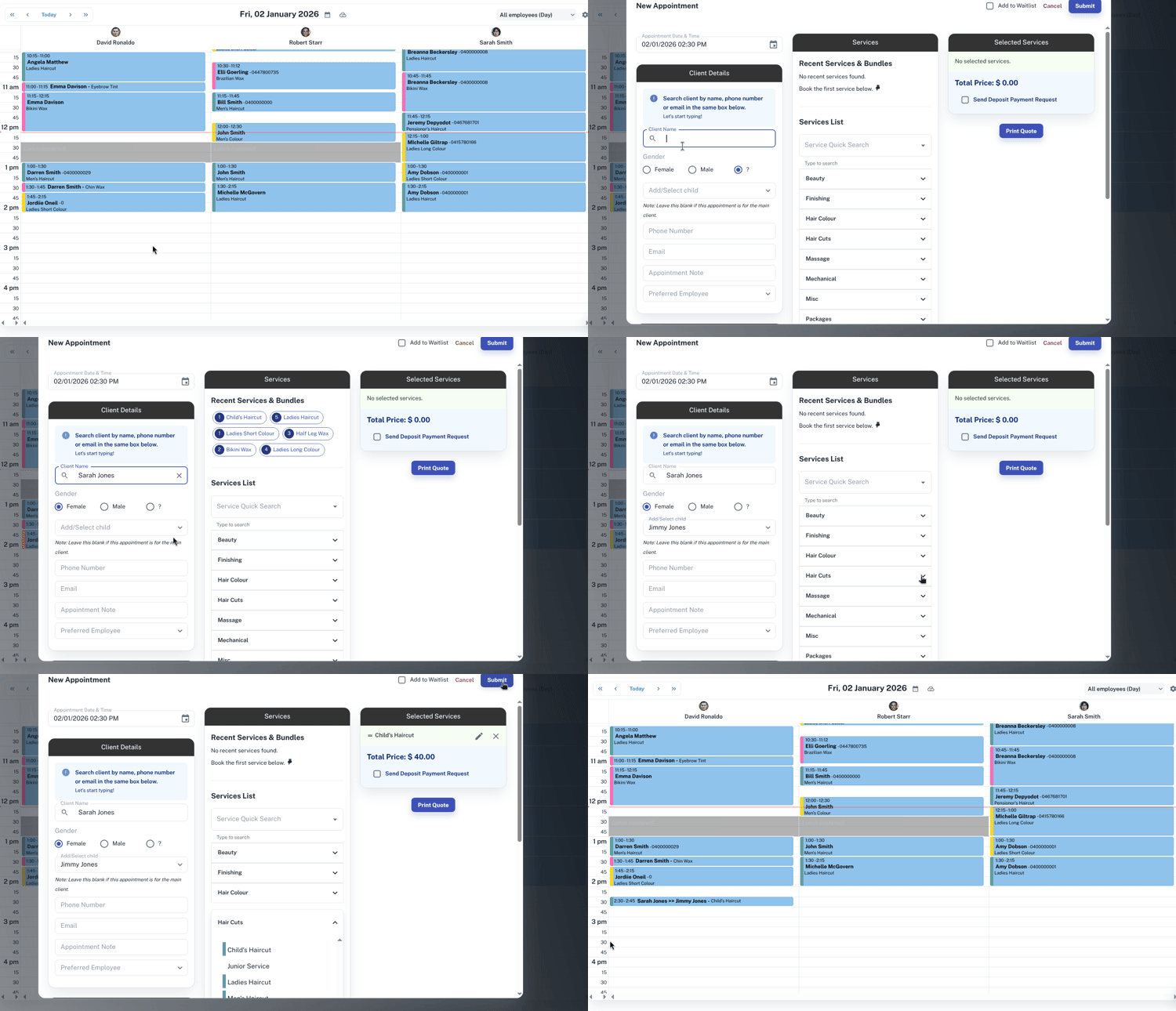
To do this:
- Create a New Appointment
- Search for and select the Parent Client who’s child you want to book
- In the Add/Select child drop down select the child
- Add Services you want in the appointment
- Select the Submit button
The booking will show the parent and the child’s name in the calendar.
When you have entered the child’s name in the Add/Select child section, the Recent Services & Bundles will update and any alert notes will pop up.