
You may need to cancel an appointment due to an incorrect booking or the customer not being able to make it. This is how to do it.
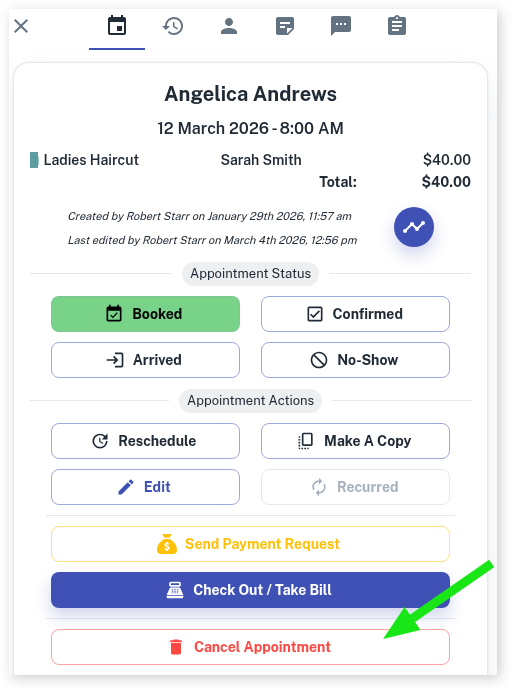
- Open Calendar to the appropriate date
- Select the Appointment. This opens a window to the side
- Press the Cancel Appointment button
- A pop-up will appear with the following options:
- No, Do Not Cancel It!
- Cancel This Appointment
- Cancel This and All Future
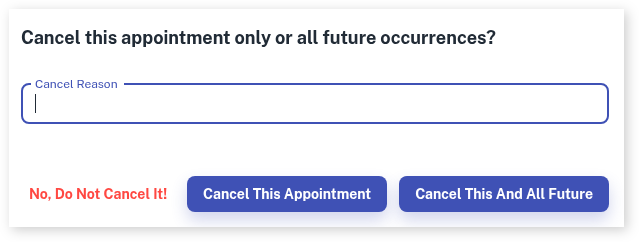
- Optional: Enter cancellation reason. You can cancel an appointment without entering a Cancel Reason
- Select the option that applies
How to Reinstate a Cancelled Appointment
You can Reinstate any cancelled appointment.
- Go to your Calendar
- Turn on Show/Hide Cancelled Appointments. Click here to view how to do this
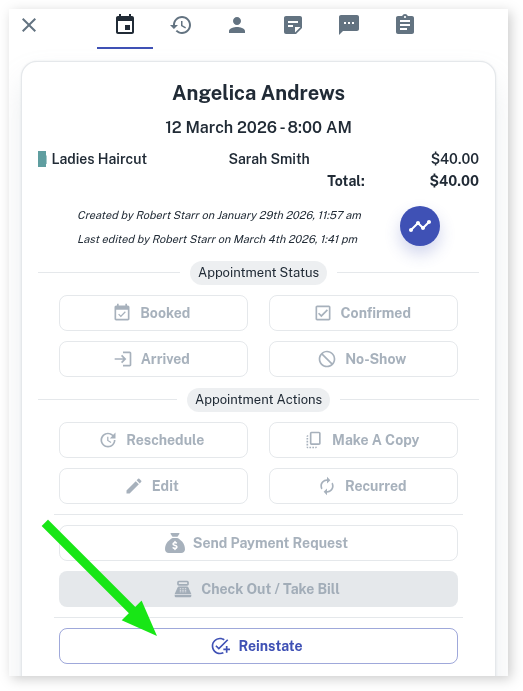
- Find the appointment that needs to be reinstated
- Click on the appointment. This opens a window to the side
- Press the Reinstate button.
Security Settings
Only employees with the correct security settings can cancel appointments. For more information on Security Settings, CLICK HERE.